Multi-track agenda template for conflict, capacity, and hybrid planning


Your polished schedule grid can still hide the conflicts that break a multi-track conference. Audience overlap and hybrid production gaps are the real schedule risks, but room pressure tends to surface first. All three need to be resolved before the public agenda goes live, not discovered in the corridor on day one.
Treat the planning file as an operational control sheet first. Each row should tell the program, venue, and production teams what the session requires and who owns any unresolved issues. Used well, a single multi-track agenda template can handle conference session scheduling, publication, onsite delivery, and post-event reporting without forcing teams to rebuild the agenda at every stage
Key takeaways:
- Add capacity, audience, resource, and delivery constraints to every session
- Protect priority audience pathways before adding more concurrent choices
- Assign rooms from expected demand, hard capacity, and overflow options
- Record production, time zone, replay, and access requirements for hybrid sessions
- Keep an exception list for unresolved speaker, AV, access, and reporting dependencies
- Apply version control before synchronizing the schedule across teams and systems
The template controls more than time
A useful agenda file controls session constraints, ownership, and downstream publication rather than simply placing titles into time slots.
Turn the grid into controls
Start with one row per session and one unique session identifier. Keep that identifier unchanged from proposal approval through attendance reporting. A title can change several times, but the identifier provides every team with a stable reference as speaker names, room assignments, or delivery formats change.
Think of the schedule the way venue operations think of a room set diagram. The polished version faces the attendee, while the working version carries the load limits, access points, and reset instructions that make the public version possible. Program teams need both views, and both should come from the same control sheet.
Here is what one row looks like when it is populated: Session ID CE-204, track ID Clinical, working title "Documentation Standards Update," primary segment first-year members, assigned room Hall C, usable capacity 180, delivery live hybrid, CE eligible for one credit, change owner to the education lead. That single row tells five teams what they need without a meeting. A blank cell in any of those fields is an unassigned decision, not a formatting gap.
Program directors who want a broader planning foundation can pair an event-planning agenda with the control fields above. Organizers can compare how session records connect to access permissions, and reporting can review how Swapcard's content and session management capabilities work.
Use clean planning inputs
Agenda logic inherits every error in your registration and program data, which is why the input stage matters more than the layout stage. Registration data quality affects downstream segmentation and matchmaking, especially when member type, role, interests, or access level decide which sessions and people look relevant to an attendee. Swapcard's Love at First Click registration webinar makes the same operational point: shortcuts taken at registration reappear later as weaker audience groups and less accurate recommendations.

Define the fields the agenda will actually use before importing any attendee assumptions. If the planning file separates first-time attendees from chapter leaders, the registration flow needs a reliable field for that distinction. Without it, the audience-overlap analysis is guesswork wearing the costume of data.
Run this input check before scheduling:
- Confirm that every session has one permanent ID
- Match audience labels to registration segment names
- Record speaker availability as blocked and available windows
- List every shared room, interpreter, producer, and specialist AV resource
- Mark missing data as an exception rather than filling the cell with an assumption
Why your most important attendees miss the sessions they signed up for
Association leaders hear the complaint in the corridor: a member arrived for a required certification session and found it overlapping with the prerequisite on their agenda. That is a track architecture failure, and it happens before any room assignment or speaker confirmation. Track architecture should protect the learning routes that matter most before the program team scales to maximize the number of simultaneous sessions.
Design priority audience pathways
A track is a route through the conference for a defined audience, not a subject label, and that distinction changes how you schedule. Program teams should identify the sessions a member segment must be able to attend, then test those sessions for overlap before adding optional concurrent content.
Begin with a simple diagnostic. For each audience segment, list the opening session, required learning blocks, continuing education (CE) sessions, networking window, and closing session that form its priority path. If two required sessions overlap, the track structure is already broken for that audience, even when every room and speaker remains available.
Protect no more pathways than the program can genuinely defend. Hard protection belongs to the required certification content, governing meetings, and sessions promised to a defined registration group. Everything else is a preference, and preferences live in a lower tier.
Apply conflict precedence rules
Not every overlap warrants the same response, so conflict controls require an agreed-upon order. A speaker appearing in two rooms at once is impossible. Two popular sessions aimed at the same members create a serious program conflict, yet organizers can still accept it when another constraint carries more weight.
Run the agenda conflict checker in this order:
- Hard resource conflicts: A speaker, room, producer, interpreter, or shared device appears in two places at once
- Protected pathway conflicts: Two required sessions target the same priority audience
- Access conflicts: A session is scheduled when its eligible group cannot enter the venue or remote environment
- Demand conflicts: Several high-demand sessions compete for the same room class or overflow support
- Preference conflicts: Optional sessions share an audience but do not block a required pathway
Resolve hard conflicts before you review preferences. When a conflict remains, the exception list should name the affected sessions, precedence level, decision owner, deadline, and temporary assumption. That record stops the same debate from restarting at every review meeting.
A fully conflict-free agenda is rarely realistic, and chasing one is its own mistake. Protecting the right conflicts is more useful than forcing every overlap out of the grid.
Release planning windows early
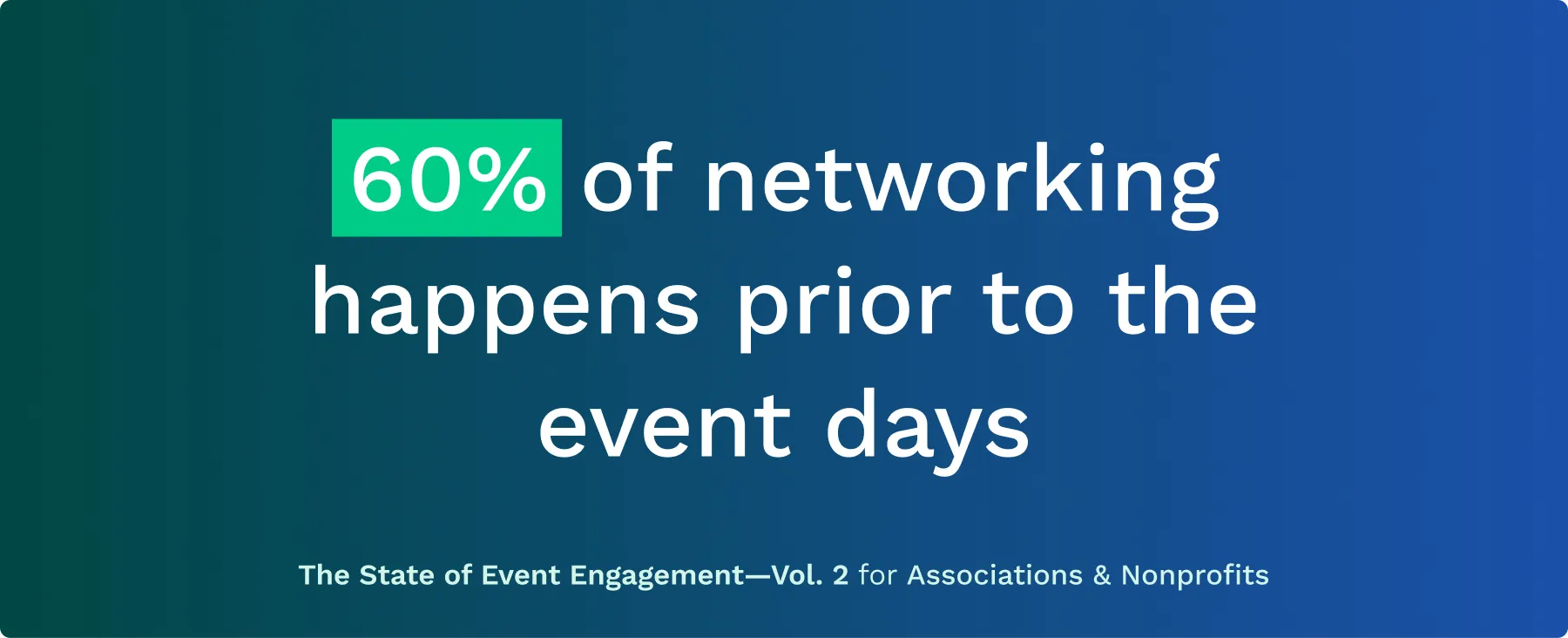
Publishing tracks, sessions, and meeting windows early gives attendees more utility for pre-event planning. Swapcard's State of Event Engagement report found that roughly 60% of networking happens before doors open, which is why early access matters. Attendees need enough confirmed structure to save sessions, prepare questions, and reserve meeting time.
Early publication does not require every description to be final. Release stable elements in stages, starting with dates, track themes, and anchor sessions. Add speaker details and room assignments after approval, then mark later changes with a visible update date.
Use controlled release states in the planning file:
- Internal draft
- Program-approved
- Operations-reviewed
- Production-reviewed
- Approved for publication
- Published
- Changed after publication
The attendee-facing agenda should never expose an internal draft, and it should never depend on a final-day bulk upload that removes the time attendees need to plan.
Room capacity planning starts with demand
Room assignment should follow expected demand, usable capacity, and overflow options rather than speaker status or room tradition.
Assign rooms from demand
Forecast demand by combining registration segments, saved-session behavior from prior editions, comparable session attendance, and known audience requirements. Separate hard capacity from usable capacity. Hard capacity reflects the venue limit. Usable capacity reflects the actual room set after production positions, accessible seating, sightlines, and reserved places are counted. Assign against the usable figure, always.
Speaker seniority is not a demand model. A recognized keynote speaker may draw a large audience, and a technical compliance update can still fill faster when a member segment needs it for credit. Programs teams should record the demand assumption and confidence level beside each room assignment so later changes carry a reason.
Define overflow before publishing
An overflow plan needs a trigger, destination, and attendee message before the schedule goes public. Naming an overflow room without defining when it opens only delays the decision until the corridor fills, and by then it is too late for signage, access, and remote-viewing checks.
Set the trigger against the evidence available for each session. If saved-session demand approaches usable capacity before the conference, move the session or activate the planned overflow route. Record these overflow fields:
- Primary room and usable capacity
- Demand estimate and confidence level
- Overflow trigger
- Overflow location
- Viewing or audio arrangement
- Access and signage owner
- Attendee notification owner
- Final decision deadline
The plan carries a real tradeoff. Holding a room for possible overflow reduces space available elsewhere. Even so, high-consequence sessions need a documented fallback. Decide the trigger now, not in the hallway.
Protect every transition window
Transition buffers protect attendee flow, room turnover, and audio-visual (AV) checks between parallel sessions. Calculate each buffer from the longest operational need: attendee travel, accessibility, room reset, speaker change, or AV changeover. Then record which team owns the reset. A five-minute gap entered out of habit has no value when the production check alone takes eight.
IAAPA shows how strongly layout affects agenda use. According to the IAAPA Expo success story, the conference environment included an 11-mile show floor, which made route planning part of the attendee experience rather than a minor venue detail. Diane Williams, Director of Global Digital Experiences and Opportunities at IAAPA, described the scale of the coordination challenge directly: because IAAPA is a global organization, having one platform to reach all participants across the show floor was essential.
Hybrid session scheduling carries production dependencies
Hybrid session planning works only when every delivery mode carries its own production, timing, replay, and access requirements in the agenda file. Event teams testing how session-level access rules connect to attendee registration and permissions can review how Swapcard manages hybrid session delivery and access controls.
Map every delivery format
Classify each session as in-person only, live hybrid, simulive, or on-demand. Do not use "hybrid" as a general label. A live hybrid panel needs a stream source, remote moderation, and a fallback owner, while an on-demand recording needs a release date and access rule.
Build the dependency chain directly into the scheduling file. If a session lacks a confirmed producer, source, or fallback, mark it as unresolved rather than publication-ready. Production uncertainty belongs in the exception list, not in a hopeful assumption.
For each delivery format, record:
- Content source and file owner
- Producer and moderator
- Speaker location
- Technical check time
- Streaming or playback location
- Fallback action and owner
- Recording status
- Replay release rule
Record time and replay rules
Time-zone handling needs two fields: the source time used by production and the display time shown to each audience. A single "10:00 AM" entry creates risk the moment speakers, moderators, or attendees join from different regions. Name the time zone in the source record.
Replay decisions belong on the agenda before publication. Record whether replay is available, who can access it, when it appears, and when access ends. Simulive sessions need extra care because the scheduled broadcast and the recorded source are different assets. That dependency should carry the same priority as room or speaker availability.
Control remote attendee access
Remote access rules should identify the eligible audience, entry path, authentication requirement, and fallback. Link access rules to the audience labels already used in registration and track architecture. Session permissions, member status, paid access, and CE eligibility should use consistent names throughout the file. Mismatched labels create support requests and weaken attendance records.
The HLTH 2025 success story highlights the operational requirements behind a well-delivered digital experience. HLTH Event Director Matt Baum described the goal: "We're bringing the right people in the right ecosystem together and giving them the opportunity to engage digitally. It gives them the opportunity to take advantage of everything the event has to offer." Precise access mapping — not simply adding a stream link — is what makes that experience possible.
Metadata makes the schedule operable
Session metadata makes the agenda usable for access, credits, attendance, and reporting after the schedule leaves the programs team.
Standardize session metadata
Standard fields prevent one track chair from entering "members only" while another enters "professional pass," even when both refer to the same audience. Define accepted values for track, format, access, credit status, attendance method, and publication status before the first import. Use dropdown values where possible and free text only for explanation.
The unique session ID should connect each record to speakers, rooms, attendance evidence, and reporting exports. A publish-ready session row should answer four checks:
- Who can attend
- What evidence records attendance
- Which operational resources are required
- Who owns the next unresolved action
Any row that cannot answer one of those checks remains an exception.
Make credits auditable
CE credit tracking requires more than a credit value in the session description. Program teams need the eligibility rule, eligible duration, attendance evidence, and exception process in structured fields. Requirements differ by program, so the template should record the association-approved rule rather than assume one universal standard.
Validate before each release
Run validation against the full constraint set before every public release. The agenda conflict checker should review speakers, priority audiences, shared resources, rooms, delivery modes, access rules, and transition buffers. A title-and-time review is not enough. Validation produces two outputs: a publish-ready schedule containing approved records and an exception list containing unresolved dependencies, owners, and deadlines. Keep exceptions outside the public agenda but inside the same planning file.
Governance keeps every version aligned
Program governance keeps speaker, venue, and production teams aligned after the first agenda release.
Assign change ownership
Every published field needs an owner and an approval route. Programs should own learning and speaker decisions, while operations owns rooms and movement. Production owns delivery dependencies, and the reporting owner confirms attendance and credit fields.
Record the editor, timestamp, reason, approval status, and affected systems for every material change. According to the GDC data consolidation case study, Informa Tech's Patrick Shields noted that integrating data across business units "has helped my team save two weeks of work per event." The lesson for agenda governance is that shared identifiers and controlled handoffs are what make cross-team reporting possible.
Run one publishing workflow
Set freeze points for the program, venue assignments, production details, and public release. Then define the emergency route for changes after each freeze.
A practical workflow follows six actions:
- Populate the planning file
- Validate conflicts and missing dependencies
- Approve program, room, production, access, and reporting fields
- Publish only approved records
- Synchronize affected systems and teams
- Monitor exceptions until closure
Emergency changes need a shorter approval path, a clear attendee message, and a record of which systems were updated.
Synchronize downstream systems
Approved changes should be moved from the control sheet to the attendee agenda, venue plan, speaker communication, and access setup, all using the same session ID. A room change is incomplete until every affected destination reflects it.
Program teams that want approved schedule changes to feed attendee access and reporting from one record can get started with Swapcard. The platform connects registration profiles, session publishing, access controls, and analytics and reporting. It does not replace venue sourcing, speaker judgment, or the program governance defined in the template.
The finished multi-track agenda template should leave the team with two controlled outputs: a schedule ready for attendees and an exception list ready for operators. Populate one file, apply precedence rules to priority paths, assign rooms against stated assumptions, map every delivery format, and keep change ownership visible. That is how a schedule becomes an operating plan rather than a decorative grid.
FAQs
How do I avoid session conflicts in my multi-track agenda?
To avoid session conflicts, start by identifying priority audience pathways. List essential sessions for each audience segment and check for overlaps before adding optional content. Use a structured agenda template that includes capacity, audience, and resource constraints for each session. Implement a conflict checker to prioritize hard conflicts, like speaker availability and room assignments, before addressing softer conflicts. This proactive approach helps ensure that your attendees can access the sessions that matter most to them.
What if I need to manage room assignments for a large conference?
When managing room assignments, forecast demand by analyzing registration data and past attendance patterns. Use a planning template that records expected demand, usable capacity, and overflow options for each session. Assign rooms based on these insights rather than tradition or speaker status. Always have an overflow plan in place, detailing when and how it will be activated to ensure a smooth experience for attendees, especially during high-demand sessions.
How do I effectively plan for hybrid sessions?
To effectively plan for hybrid sessions, classify each session by its delivery format (in-person, live hybrid, or on-demand). Ensure that your agenda includes specific production, timing, and access requirements for each format. For hybrid sessions, confirm that you have the necessary technology and personnel in place to support both in-person and remote attendees. Make sure to document all dependencies and unresolved issues in your planning file to avoid last-minute complications.
Can I track attendee engagement during the event?
While Swapcard does not provide built-in analytics, you can track attendee engagement by implementing tools for live polling, Q\&A sessions, and feedback ratings during your event. Encourage attendees to interact through these features, and ensure that the results are collected in real-time. After the event, use this data to assess engagement levels and improve future events based on attendee feedback and participation.
When should I publish my event agenda?
It's best to publish your event agenda early, ideally at least six weeks before the event. Early publication allows attendees to plan their schedules, save sessions, and prepare questions in advance. This proactive approach significantly enhances attendee engagement and networking opportunities, as many attendees begin their networking before the event starts. Gradually update the agenda with finalized details as they become available to keep attendees informed.

Bhavya Sharma
Senior Content Marketing Manager
Bhavya leads content strategy across the funnel at Swapcard, pairing flagship research with storytelling that turns awareness into pipeline.


Join 12,000 subscribers and unlock industry secrets.
By submitting this form, you agree to receive periodic emails on insightful content related to events and our product, and in accordance with our Privacy Policy. You can, of course, change your preferences or unsubscribe at any time.


.svg)

.svg)